The best artwork for custom backpacks is a clean vector logo, sized and simplified for the panel it will sit on, with brand colors chosen against the bag color. Get Custom Backpacks reviews every file, places it on your chosen backpack and returns a free mockup within 24 hours, so artwork problems get fixed before production starts.

- Vector files such as AI, EPS, SVG or editable PDF give the cleanest backpack decoration
- A free mockup arrives within 24 hours, with unlimited free revisions
- Embroidery needs bolder, simpler artwork than screen printing
- Individual names can be added to each backpack from a single spreadsheet
- Nothing is paid until the final design is approved
What logo file should you send for custom backpacks?
The best logo file for custom backpacks is a vector file, such as an AI, EPS, SVG or a PDF exported from design software with the shapes left editable. Vector artwork is built from lines and curves rather than pixels, so it can be scaled to a small pocket mark or a wide front-panel print without going soft or jagged at the edges.
Vector art matters on backpacks more than on paper because both main decoration methods translate artwork into physical production. Screen printing needs clean shapes to make a separate screen for each ink color, and embroidery needs clean shapes to plan where every stitch goes. A blurry logo forces guesswork in both cases.
If you only have a PNG or JPG pulled from a website or an email signature, send it anyway. Get Custom Backpacks can work from what you have to produce the free mockup, and the team will tell you if the file needs to be redrawn before production. The goal is to flag artwork problems at the mockup stage, within 24 hours, rather than after the backpacks are made.
- Best: the original vector file from whoever designed the logo
- Good: a PDF exported from design software with editable shapes
- Workable for a mockup: a large, sharp PNG with a transparent background
- Avoid: screenshots, photos of signage or images copied from social media
Where can a logo go on a backpack?
A logo can go on most flat, accessible panels of a backpack, and the right spot depends on the backpack style and the decoration method. The front pocket is the most common placement because it is the panel people see when the bag is worn, but it is far from the only choice.
Each style on the site has its own natural decoration zones. Laptop and commuter backpacks usually have a smooth front panel or a flat front pocket that suits a clean, centered logo. Rolltop and outdoor backpacks often place the mark on the main body below the roll, where the fabric stays flat when the top is closed. Drawstring and cinch bags offer one large flat face, which makes them the easiest style for bold, wide artwork. School and youth backpacks tend to have a front pocket that works well for a school crest or program name.
| Placement | Best for | Watch out for |
|---|---|---|
| Front pocket | Primary logo on most styles | Zippers and seams that cut through wide artwork |
| Main front panel | Large logos and drawstring bags | Panels that curve when the bag is full |
| Shoulder strap | Small secondary mark or a short slogan | Narrow, padded surfaces limit detail |
| Side or lower panel | Sponsor marks and website text | Visibility when the bag is worn |
The mockup shows your artwork on the exact backpack you selected, so you can judge placement before anything is decorated.
Should backpack artwork be simplified for embroidery or screen print?
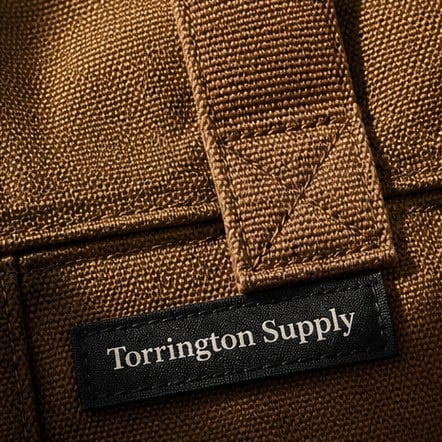
Backpack artwork often needs light simplification for both embroidery and screen printing, because a bag panel is a smaller, more textured canvas than a website header or a printed brochure. Fine lines, tiny text and soft gradients that look sharp on a screen can fill in, break up or disappear on fabric.
Embroidery is the stricter of the two. Thread has physical thickness, so very small lettering and thin outlines tend to blur together, and photographic shading cannot be reproduced stitch for stitch. Embroidered logos look best when they are bold, with solid color areas and a limited palette. Screen printing handles finer detail than embroidery, but each ink color adds a separate screen, so a logo with many colors or a gradient may be adapted to a few solid colors.
A simplified logo is not a lesser logo. Many brands keep a one-color or reduced version of their mark for exactly this purpose. If you have a brand guide, check whether it includes a simplified mark, a single-color version or a stacked version, because those often suit backpacks better than the full horizontal logo. The site’s comparison page on embroidered and screen printed backpacks covers the trade-offs between the two methods in more detail.
How do colors on a backpack logo get matched?
Colors on a backpack logo are matched by sending your brand color references, ideally Pantone codes from your brand guide, along with the artwork. Hex or RGB values from a website are a starting point, but they describe screen colors, and fabric inks and threads behave differently from pixels.
Two factors change how a logo color looks on a finished backpack. The first is the bag color itself: a light ink on a dark fabric can read differently than the same ink on white, and some designs need an underbase so light colors stay bright on dark material. The second is the decoration method: embroidery thread is chosen from available thread colors, so the match is the closest available shade rather than a mixed ink.
The simplest way to protect your colors is to tell Get Custom Backpacks which colors are non-negotiable and which have flexibility. A navy primary color may matter far more than an accent gray. Also consider contrast early: a dark logo on a dark backpack can disappear, so a reversed white or light version of the logo is often the better choice on black, charcoal or navy bags.
- Send Pantone references if your brand guide lists them
- Choose the backpack color before finalizing logo colors
- Keep a light version of the logo ready for dark fabrics
- Flag any color that must match other branded items
Can each backpack have a different name or text?
Each backpack in an order can carry its own name or short line of text alongside a shared logo, which is popular for staff, teams, students and volunteers. Personalization is handled as a list rather than as separate artwork files, which keeps the design consistent across the whole run.
To set up personalized backpacks cleanly, supply a single spreadsheet with one row per bag and one column per variable field, such as first name, last name or role. Check spelling and capitalization in the list before you send it, because the decorated text will follow the list exactly. Decide in advance how long names are handled, since a very long name may need a smaller font or a first-name-only rule to fit the same space as a short one.
Keep personalized text in a simple, readable font. Script fonts and very condensed fonts can be hard to read on fabric, especially in embroidery. The mockup will show a sample name in place so you can confirm size and position before every bag is decorated.
What happens at the mockup and proof stage?
At the mockup stage, Get Custom Backpacks places your artwork on the backpack style and color you chose and sends a free digital mockup within 24 hours. The mockup is where artwork decisions get settled: logo size, placement, colors, any personalization and any second decoration location.
Review the mockup the way a recipient will see the bag. Check that the logo is the current version, that the text is spelled correctly, that the logo stands out against the fabric and that nothing important sits across a zipper or seam. Share the mockup with anyone who has final say over the brand, such as marketing, a school principal or a program director, before you approve it.
- Send your artwork, backpack style, color, quantity and any names list
- Receive a free mockup within 24 hours
- Request changes, with unlimited free revisions
- Approve the final design, and pay nothing until you do
- Production begins, with standard turnaround of about 2 weeks
Because revisions are unlimited and free, there is no reason to approve a mockup that is almost right. Ask for the change.
What are the most common backpack artwork mistakes?
The most common backpack artwork mistakes are sending an outdated logo, choosing a logo color that blends into the bag, and squeezing a wide horizontal logo onto a narrow pocket. Each one is easy to catch at the mockup stage and expensive in time to fix after production.
Outdated logos usually happen when someone pulls a file from an old shared drive or an old email. Confirm with whoever owns the brand that the file is current. Low contrast is the second trap: a gray logo on a charcoal backpack or a navy logo on black fabric may look fine on a monitor and vanish in daylight. Proportion is the third: a long wordmark shrunk to fit a small pocket can become unreadable, so a stacked version or an icon-only mark is often the stronger choice.
- Taglines and website addresses added so small they cannot be read
- Thin outlines that break up in embroidery
- Gradients and photos used where solid colors would print cleaner
- Text placed across a zipper, seam or pocket edge
- Names lists with typos or inconsistent capitalization
For broader order pitfalls beyond artwork, the site’s guide to the ways a custom backpack order goes wrong is a useful companion read.
How should you send artwork with a backpack quote request?
Send backpack artwork with your quote request by attaching the best logo file you have and adding a short note about placement, colors and quantity. A complete request lets Get Custom Backpacks return an accurate mockup on the first pass instead of coming back with questions.
A useful artwork note covers the backpack style you want, such as laptop, rolltop, school, travel or drawstring, the bag color, where the logo should go, the decoration method if you have a preference, your brand colors and whether any bags need names. Mention your quantity, keeping in mind the minimum order is 12, and the date you need the backpacks in hand, so the timeline can be checked against the standard turnaround of about 2 weeks.
If you are unsure about any of these points, leave them open and say so. The mockup and revision process exists to help you decide, and the team can suggest a placement or a simplified version of the logo that suits the bag you picked. You can start through the custom quote page and read the how it works page for the full order process.
Frequently asked questions
Can I send a logo saved from my company website for custom backpacks?
A logo saved from a company website can start a custom backpack mockup, but website images are usually small and built for screens. Get Custom Backpacks will place the file on your chosen backpack and flag whether it needs redrawing before production. If possible, ask your designer or marketing team for the original vector file, which keeps edges clean at any size.
What is a vector logo and why do backpack decorators ask for one?
A vector logo is artwork built from mathematical lines and curves instead of pixels, so backpack decorators can resize it without blurring. Screen printing uses vector shapes to create a screen for each ink color, and embroidery uses them to map stitches. Common vector formats are AI, EPS, SVG and PDF files exported from design software with editable shapes.
Will thin lines and small text show up on an embroidered backpack?
Thin lines and very small text often do not hold up well on an embroidered backpack, because thread has physical thickness and fine details tend to merge. Bold shapes, solid color areas and larger lettering stitch more cleanly. Get Custom Backpacks reviews the artwork at the mockup stage and can suggest a simplified version of the logo when fine detail is at risk.
Should the backpack color be chosen before the logo colors?
The backpack color should be chosen before logo colors are finalized, because the fabric changes how every ink or thread reads. A dark logo can disappear on a black or navy backpack, while a reversed white or light version stands out. Picking the bag first lets the mockup show real contrast, so you can judge readability before approving the design.
Can a backpack have a logo in more than one location?
A backpack can carry a logo in more than one location, such as a primary mark on the front pocket and a smaller mark on a shoulder strap or side panel. Each added location is decorated separately, so mention every placement you want when requesting a quote. Get Custom Backpacks shows each location on the free mockup for review.
How should I format a names list for personalized backpacks?
A names list for personalized backpacks works best as a single spreadsheet with one row per bag and a separate column for each text field, such as first name or role. Check spelling and capitalization carefully, since decorated text follows the list exactly. Get Custom Backpacks shows a sample name on the mockup so you can confirm size and placement first.
Can a gradient or photo logo be put on custom backpacks?
Gradient and photo logos are difficult to reproduce on custom backpacks, especially with embroidery, which cannot blend shades the way a screen can. Screen printing can handle more detail but usually works in solid ink colors. Get Custom Backpacks often recommends a solid-color version of the logo, which tends to look sharper and more durable on backpack fabric.
What should I check on a backpack mockup before approving it?
Before approving a backpack mockup, check that the logo is the current version, colors are correct, text is spelled correctly and nothing sits across a zipper or seam. Look at contrast against the fabric and the size relative to the pocket. Share the mockup with whoever owns the brand, since revisions at Get Custom Backpacks are unlimited and free.
Who should approve backpack artwork inside an organization?
Backpack artwork should be approved by the person who owns the brand, such as a marketing lead, school administrator or program director, plus whoever manages the budget. Collect all feedback on one mockup before requesting changes, which keeps revisions clear. Get Custom Backpacks does not start production or take payment until the final design is approved.
Do I need a different logo version for a drawstring bag than a laptop backpack?
A drawstring bag and a laptop backpack can often use the same logo, but the best version may differ. Drawstring bags have one large flat face that suits a bold, wide logo, while many laptop backpacks have a smaller front pocket better served by a stacked or icon-only mark. The free mockup shows how each version looks on each style.
Can artwork be adjusted after a backpack design is approved?
Backpack artwork should be fully settled before approval, because approval is the signal that production can begin. If you spot a problem afterward, contact Get Custom Backpacks right away, but changes after approval may affect timing. The safest approach is to use the unlimited free revisions during the mockup stage until every detail of the backpack design is correct.
Get a free mockup for your backpacks
Send your logo or idea and the quantity you have in mind. Get Custom Backpacks returns a free mockup within 24 hours, you approve the design before anything is produced, and standard turnaround is about two weeks with faster options available. Get a custom quote.